Search filter
9 results found
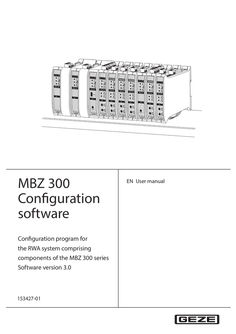
… bilong as the button is pressed. If ased-off, the DMs switch to the button is released, the DMs the “CLOSE” direction of travel switch off again. permanently. If “OPEN” is not set to biased-off, The DMs switch to “CLOSE” as the DMs switch to the “OPEN” long as the button is pressed. If direction of travel permanently. the button is released, the DMs switch off again. Modules switch permanently to “OPEN” direction of travel. Modules switch permanently to “OPEN” direction of travel. Modules switch permanently to “CLOSE” direction of travel. Modules switch permanently to “CLOSE” direction of travel. Stop by In biased-off direction: Release the push button If only one is active, the other is in self-locking mode: STOP = both push buttons at the same time Pressing the same push button again Pressing both buttons again “Permanently” means the set “drive line switch-off time” is at maximum. 19 CM - Control module … .1 Vent switch function In the standard configuration the push button input of the control module in the first ventilation group is linked with all drive modules in the system. This ventilation group has a higher priority than the push buttons connected directly to the drive modules (= central push button for the whole control unit). Other ventilation group assignment (see the chapter “Ventilation groups”). Function setting Behaviour with button OPEN pressed [] Note: Biased-off (switch function) [] [] [•] OPEN CLOSE Locking [] [] Stop function same button Stop function both buttons Behaviour with button CLOSE pressed The default setting is OPEN and CLOSE The interval mechanism is then deactivated. The DMs switch to “OPEN” as If “CLOSE” is not set to bilong as the button is pressed. If ased-off, the DMs switch to the button is released, the DMs the “CLOSE” direction of travel switch off again. permanently. If “OPEN” is not set to biased-off, The DMs switch to “CLOSE” as the DMs switch to the “OPEN” long as the button is pressed. If direction of travel permanently. the button is released, the DMs switch off again. Modules switch permanently to “OPEN” direction of travel. Modules switch permanently to “OPEN” direction of travel. Modules switch permanently to “CLOSE” direction of travel. Modules switch permanently to “CLOSE” direction of travel. Stop by In biased-off direction: Release the push button If only one is active, the other is in self-locking mode: STOP = both push buttons at the same time Pressing the same push button again Pressing both buttons again “Permanently” means the set “drive line switch-off time” is at maximum. 33 SM Sensor module MBZ 300 Configuration software
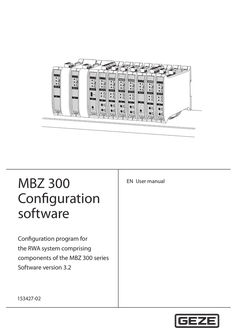
… bilong as the button is pressed. If ased-off, the DMs switch to the button is released, the DMs the “CLOSE” direction of travel switch off again. permanently. If “OPEN” is not set to biased-off, The DMs switch to “CLOSE” as the DMs switch to the “OPEN” long as the button is pressed. If direction of travel permanently. the button is released, the DMs switch off again. Modules switch permanently to “OPEN” direction of travel. Modules switch permanently to “OPEN” direction of travel. Modules switch permanently to “CLOSE” direction of travel. Modules switch permanently to “CLOSE” direction of travel. Stop by In biased-off direction: Release the push button If only one is active, the other is in self-locking mode: STOP = both push buttons at the same time Pressing the same push button again Pressing both buttons again “Permanently” means the set “drive line switch-off time” is at maximum. 20 MBZ 300 Configuration software … .1 Vent switch function In the standard configuration the push button input of the control module in the first ventilation group is linked with all drive modules in the system. This ventilation group has a higher priority than the push buttons connected directly to the drive modules (= central push button for the whole control unit). Other ventilation group assignment (see the chapter “Ventilation groups”). Function setting Behaviour with button OPEN pressed [] Note: [•] Biased-off (switch function) [] OPEN [] CLOSE Locking [] [] Stop function same button Stop function both buttons Behaviour with button CLOSE pressed The default setting is OPEN and CLOSE The interval mechanism is then deactivated. The DMs switch to “OPEN” as If “CLOSE” is not set to bilong as the button is pressed. If ased-off, the DMs switch to the button is released, the DMs the “CLOSE” direction of travel switch off again. permanently. If “OPEN” is not set to biased-off, The DMs switch to “CLOSE” as the DMs switch to the “OPEN” long as the button is pressed. If direction of travel permanently. the button is released, the DMs switch off again. Modules switch permanently to “OPEN” direction of travel. Modules switch permanently to “OPEN” direction of travel. Modules switch permanently to “CLOSE” direction of travel. Modules switch permanently to “CLOSE” direction of travel. Stop by In biased-off direction: Release the push button If only one is active, the other is in self-locking mode: STOP = both push buttons at the same time Pressing the same push button again Pressing both buttons again “Permanently” means the set “drive line switch-off time” is at maximum.

Standard cable plan EMD 1-leaf pulling right hand door
(DWG | 254 KB)
Standard cable plan EMD 2-leaf pulling right hand door
(DWG | 253 KB)
Standard cable plan ECturn Inside pulling 1-leaf right hand door
(DWG | 252 KB)
Standard cable plan Slimdrive EMD Invers 2-leaf pulling right hand door
(DWG | 253 KB)
Standard cable plan Slimdrive EMD Invers 1-leaf pulling right hand door
(DWG | 255 KB)